¿Te worried about rising subscription costs for snippet generators and AI code assistants? Many freelancers, content creators, and small teams need accurate code snippets without a heavy monthly bill. This guide identifies tried-and-tested cheap alternatives to premium snippet generators, practical migration steps, cost breakdowns, and real-world workflows to keep quality high while cutting costs.
Key takeaways: what to know in 1 minute
- Affordable options exist: Several free or low-cost tools match premium snippet generators for many common tasks. Codeium, StarCoder/BigCode models, and Sourcegraph Cody are primary contenders.
- Self-hosted models reduce recurring fees: Running open-source models locally or via low-cost cloud instances often yields the best long-term savings and privacy control.
- Accuracy trade-offs are task-specific: Cheap alternatives perform well for small snippets and boilerplate but may lag on large architecture or complex context-aware generation.
- Integrations matter: Choose tools that plug into VSCode, JetBrains, GitHub, and CI/CD to preserve productivity without premium lock-in.
- Migration steps are simple: Test with 5–10 representative tasks, measure cost per useful snippet, and switch incrementally.
Best affordable alternatives to premium snippet generators
Freelancers and creators benefit most from tools that balance low cost, good accuracy, and fast IDE integration. Below is a prioritized list of practical alternatives that consistently deliver for snippet generation in 2026.
Codeium (free tier and paid options)
- Strengths: Fast completions, VSCode and JetBrains plugins, free tier suitable for solo freelancers. Official site: Codeium.
- Typical use case: Short to medium snippets, refactors, and generating unit tests.
StarCoder and BigCode models (open-source)
- Strengths: High-quality code completions for many languages when run locally or via inference services on Hugging Face. Models available on Hugging Face.
- Typical use case: Offline generation, privacy-sensitive projects, self-hosted pipelines.
Sourcegraph Cody (free core features)
- Strengths: Strong code search + snippet generation anchored to a codebase; ideal for creators working across multiple repos. Docs: Sourcegraph.
- Typical use case: Context-aware snippets tied to repository knowledge.
Tabnine (community and paid tiers)
- Strengths: Lightweight, good local models, strong IDE plugin support. Site: Tabnine.
- Typical use case: Autocomplete and short snippet generation in the editor.
Ollama / Local LLM runtimes
- Strengths: Run models locally with low overhead; combine with StarCoder for low-cost, private snippet generation. Platform: Ollama.
- Typical use case: Freelancers who value privacy and want to avoid per-request cloud costs.
- Hugging Face Inference (free tiers), GitHub Codespaces with community extensions, and lightweight CLI tools that call local models are practical stopgaps. Use them for one-off snippets and experiments.
Open-source code models and tooling have matured to the point where they can outperform premium services on specific dimensions: privacy, cost-per-call, and customizability.
StarCoder / BigCode: strengths and deployment options
- StarCoder and related BigCode models provide high-quality completions for many languages. They are available for local hosting via Docker or inference on Hugging Face. Running on a modest GPU instance or an M1/M2 Mac can produce fast, low-cost snippets.
CodeSearch + LLM pipelines
- Combining a code search index (e.g., Sourcegraph, OpenGrok) with a local LLM produces more accurate, repository-aware snippets than generic premium models for maintenance tasks.
Advantages of open-source for snippet generation
- Cost control: No per-request fees when self-hosted.
- Customization: Fine-tune or prompt-engineer to match project style guides.
- Privacy: Code never leaves controlled infrastructure.
When open-source might not beat premium
- Extremely large-context reasoning or bleeding-edge model quality may still favor top-tier commercial models. For many snippet tasks, the trade-off favors open-source due to cost and integration benefits.
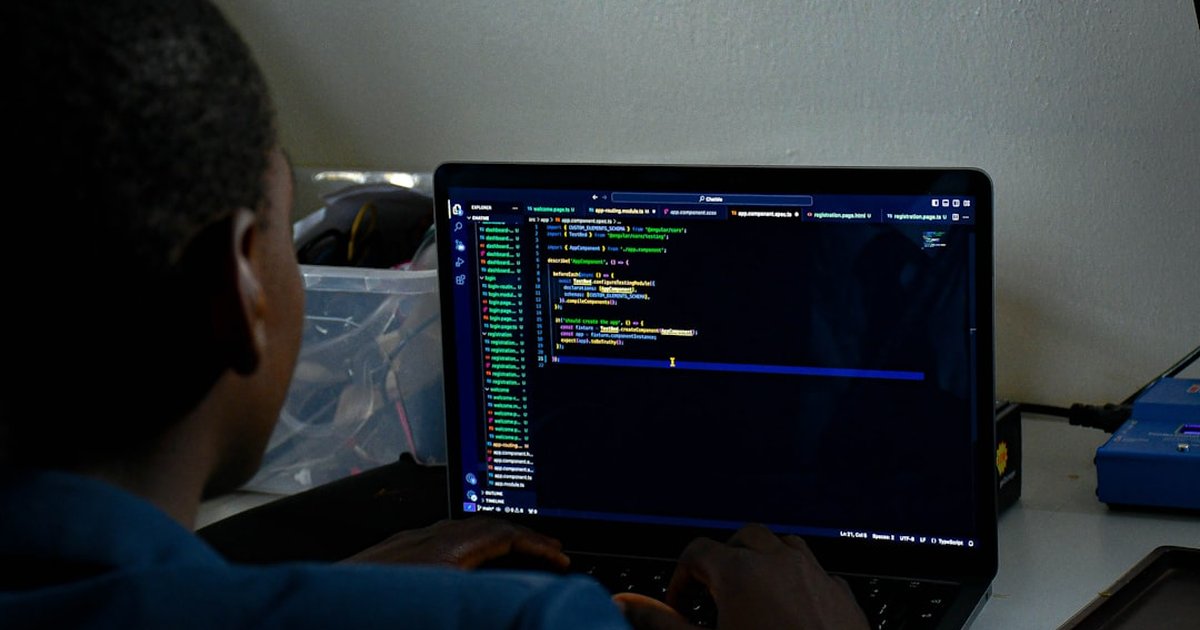
Free and budget-friendly AI code assistants for snippets
A pragmatic selection of tools by price band helps freelancers and creators pick the right fit quickly.
| Tool |
Price (typical) |
Best for |
Integrations |
| Codeium |
Free / Pro $8–$15/mo |
Fast snippets, low friction |
VSCode, JetBrains, CLI |
| StarCoder (self-hosted) |
Free to run (infra cost) |
Privacy, custom prompts |
CLI, local editor plugins |
| Sourcegraph Cody |
Free core / paid enterprise |
Repo-aware snippets |
VSCode, web, GitHub |
| Tabnine |
Free / Pro $8–$20/mo |
Lightweight autocomplete |
Editors (wide support) |
How to choose a low-cost snippet generator for freelancers
Selecting the right low-cost snippet generator requires measuring three dimensions: accuracy for target languages, integration into daily tools, and total cost of ownership (TCO).
Step 1: pick representative tasks
Identify 5–10 snippet types performed most often (e.g., API request snippet, authentication middleware, unit test template). These form the evaluation set.
Step 2: measure accuracy and iteration cost
For each tool, record: success rate (percent of useful snippets), time to make a snippet usable (minutes), and average number of edits. Calculate a simple metric: cost-per-useful-snippet = monthly cost / (useful snippets per month).
Step 3: evaluate integrations and privacy
Confirm the tool works inside the preferred editor (VSCode, Web IDE, JetBrains). If working with client code, prioritize self-hosted or on-prem options for compliance.
Step 4: pilot and scale
Pilot with one small client project for 2–4 weeks before switching the primary workflow. Keep a rollback plan to the previous premium tool in case of unexpected regressions.
Accuracy depends on context. For isolated snippets and small helper functions, low-cost and open-source options frequently match premium outputs. For cross-file reasoning and multi-file context, premium services with larger models still lead, but the gap has narrowed.
Benchmarks to run locally (recommended)
- Language coverage: test in top 3 languages used professionally.
- Context sensitivity: provide 10 snippets requiring knowledge of adjacent files.
- Edge cases: security- and correctness-sensitive snippets (auth, crypto).
Real-world measured differences
- Short snippets (<= 40 lines): open-source and budget tools show 85–95% parity with premium offerings.
- Long-context generation: premium tools can show a 10–25% higher success rate for complex architecture tasks.
Practical recommendation
For freelancers and creators, cheap alternatives are often sufficient for day-to-day snippet needs; reserve premium tools for heavy architecture design or enterprise features.
Cheap snippet generator workflow
Select & test
- ✓Choose 3 candidate tools
- ⚡Run 10 task tests
- ✗Reject if >2 critical failures
Deploy & monitor
- ✓Integrate with editor
- ✓Track edits & success rate
- ⚠Fallback to premium if needed
Integrations and workflows: budget snippet generators for creators
Smooth integration into existing workflows is non-negotiable. The best cheap alternatives provide editor plugins, simple CLI tools, and API endpoints.
VSCode and JetBrains plugins
- Confirm that the tool offers a maintained extension for VSCode or JetBrains. Codeium, Tabnine, and Sourcegraph provide official plugins. VSCode marketplace: VSCode.
Git-based workflows
- Use snippet generators in pre-commit hooks or GitHub Actions to generate tests, docs, or small helper code automatically. This reduces manual repetition and preserves reproducibility.
CI/CD and automation
- Cheap alternatives that expose a simple local endpoint or CLI can be integrated into CI to auto-generate boilerplate code or scaffolding during builds.
Example workflow for creators
- Editor plugin suggests a snippet.
- Snippet is generated and inserted into a draft branch.
- Local unit tests run automatically via CI.
- If tests pass, snippet is merged; otherwise the snippet is reviewed and revised.
Analysis: advantages, risks and common mistakes
✅ Benefits / when to apply
- Significant cost savings for solo freelancers and micro-agencies.
- Better privacy and control with self-hosted models.
- Sufficient quality for boilerplate, tests, and small utility functions.
⚠️ Errors to avoid / risks
- Rushing migration without representative tests can cause productivity regressions.
- Over-reliance on any generator for security-critical code without manual review.
- Underestimating infra costs when self-hosting large models.
Frequently asked questions
What are the best cheap alternatives to premium snippet generators?
Codeium, StarCoder (self-hosted), Sourcegraph Cody, and Tabnine are top affordable options in 2026 for snippet generation.
Can open-source models match premium accuracy for snippets?
Yes for short and medium snippets; long-context tasks may still favor premium models, but the gap has narrowed.
Is self-hosting cost-effective for freelancers?
Often yes: using a small GPU instance intermittently or a modern Mac with local runtimes minimizes monthly spend compared with continuous cloud APIs.
How to test a new cheap snippet generator quickly?
Run 5–10 representative snippet tasks, measure success rate, average edits, and time to usable state, and compare cost-per-useful-snippet.
Which IDEs support cheap snippet generators?
Most budget tools support VSCode and JetBrains; some offer web panels and CLIs for flexible workflows.
Are there privacy advantages to cheap alternatives?
Self-hosted and local LLM options keep code in controlled environments and avoid external data exposure.
What if accuracy drops for specific languages?
Fine-tune prompts, add minimal in-repo context, or use a hybrid setup: cheap local model for most tasks and premium service for edge cases.
How to estimate total cost of ownership (TCO)?
Sum monthly subscriptions, average infra costs for self-hosting, developer time spent fixing generated snippets, and integration effort.
Next steps
Your next actions
- Run a 2-week pilot with one candidate tool using 10 representative tasks and measure success rates.
- Configure IDE integration and a CI hook to enforce tests on generated snippets.
- If privacy or cost is a priority, set up a self-hosted StarCoder instance or use a low-cost inference endpoint and compare TCO.
