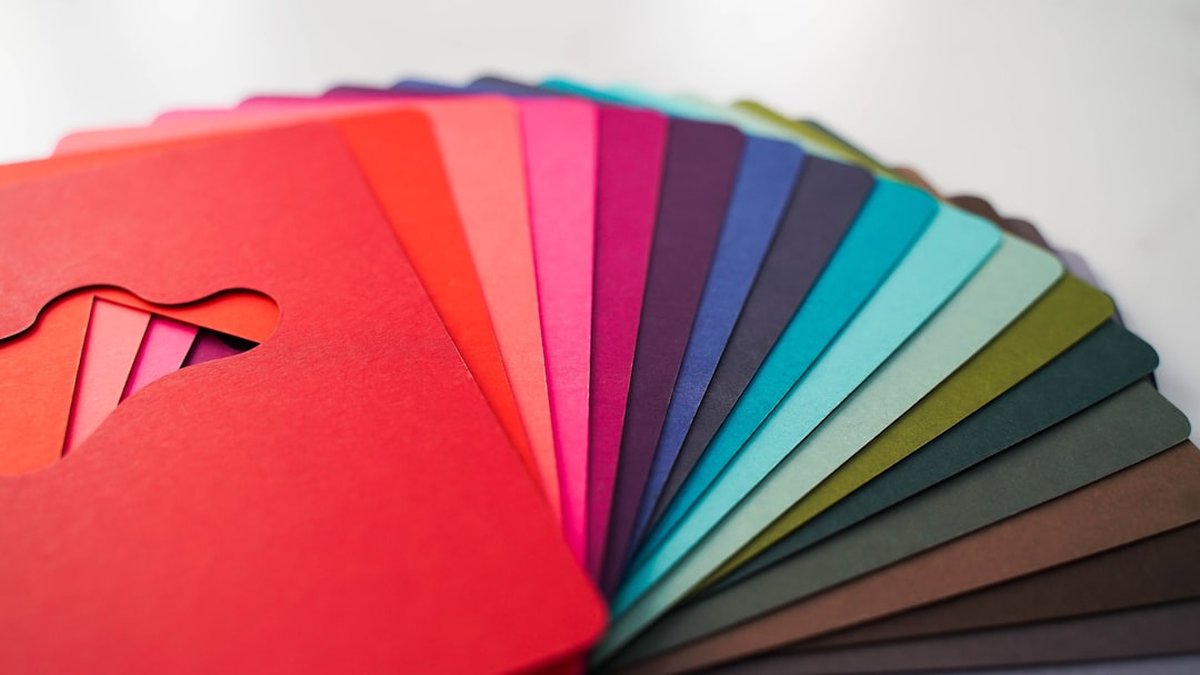
¿Te worried about brand colors shifting after a fine-tune? Many teams see their signature hues skew toward different hues, brightness or saturation after brand fine-tuning. This guide delivers an actionable troubleshooting workflow to diagnose, fix and prevent color drift in brand fine-tuning for image generators (DreamBooth, LoRA, full-model fine-tuning, diffusers).
In a few minutes the key problem will be clear and the first fixes ready to apply. The steps that follow cover diagnostics, dataset alignment, prompt and training tweaks, ICC/gamut workflows, batch post-processing, metrics and A/B validation so brand color consistency is restored and measured.
Key takeaways: what to know in 1 minute
- Color drift is detectable and measurable using perceptual metrics like ΔE00 (CIEDE2000) and histogram correlations, always measure before and after fine-tuning.
- Data alignment fixes 60–80% of drift cases: consistent lighting, camera profile normalization and matched white balance in training images reduce hue shifts most effectively.
- Prompt and loss-space tweaks mitigate model bias: strong color anchors in prompts, color preservation regularization, and low LR fine-tuning help preserve brand hues.
- ICC profiles + gamut mapping are essential when moving between devices or web pipelines, embed profiles and perform soft-proofing to stay in gamut.
- Automated batch post-processing with color transforms and ΔE thresholds can restore remaining variance; validate with A/B tests and strict pass/fail criteria.
Diagnose color drift after brand fine-tuning
Detecting color drift requires a systematic before/after comparison. Start with a controlled test set of brand color targets (swatches, product shots, logo variants) and run inference with both the base and the fine-tuned model. Capture outputs in a lossless format (PNG, TIFF) and keep embedded color profiles.
Key diagnostics:
- Compute ΔE00 (CIEDE2000) between target swatches and model outputs for each image region. Use an accepted library (colormath, scikit-image) or implement the CIEDE2000 formula. A median ΔE00 below 2 is ideal for strict brand guidelines; 2–5 may be acceptable depending on context.
- Produce per-channel histogram correlations (Pearson r) between source and output for R, G, B and for Lab. A collapse in correlation (<0.85) signals color mapping issues.
- Visualize shifts with a color-shift vector field: sample centers of brand patches and plot delta a/b vectors to see directional bias (toward magenta, green, etc.).
- Check saturation and luminance drifts using HSV or L* channels. Models often compress saturation or brighten midtones.
Practical quick checks (one-liners):
- Save outputs with the embedded profile: convert to sRGB or maintain source ICC for analysis.
- Run a small script to compute ΔE00 and histogram correlation for the set; sort images by worst ΔE to prioritize fixes.
Sources and verification: compare results to CIE guidance (CIE) and use open-source tools such as colormath for ΔE calculations.
Common root causes that produce measurable drift
- Training dataset imbalance: majority of examples with different lighting or incorrect white balance.
- Implicit color priors in base models: pretraining data biases toward photographic palettes.
- Loss functions that emphasize structure over color (perceptual losses often weight luminance more than hue).
- Quantization, color profile stripping or automatic contrast adjustments in preprocessing pipelines.
Align training images and color profiles
Image-level uniformity is the most reliable fix. Steps:
- Normalize white balance and exposure across all examples. Use grey-card or neutral reference when available. If not, apply an automatic color constancy algorithm (e.g., Gray-World, Shades-of-Gray) consistently across the dataset.
- Convert all training images to a single color space (recommended: scene-referred ProPhoto or working in linear RGB with controlled transforms) and then export training copies in the target output color space (sRGB) with an embedded ICC profile.
- Remove images with extreme color casts or too-high saturation unless they represent real brand contexts.
- Augment conservatively: color jitter is useful but set hue jitter very low (±0.02) and saturation jitter moderate (±0.05) to avoid teaching the model to tolerate wide hue variations.
HTML comparison table: Color alignment strategies vs impact and when to use
| Strategy |
Impact on hue drift |
When to apply |
| White balance normalization |
High, fixes directional hue shifts |
If dataset has mixed lighting |
| ICC profile embedding |
High, prevents sRGB gamut clipping issues |
When moving between devices or web pipelines |
| Controlled color augmentation |
Moderate, increases robustness if constrained |
When training data small |
| Color patch supervision |
High, enforces specific brand swatches |
When exact hue reproduction is required |
Practical dataset alignment checklist
- Convert all images to working color space and embed ICC profile.
- Normalize gray point and exposure.
- Remove or relabel outliers with extreme color casts.
- Add controlled color patch images showing brand swatches across lighting conditions.
- Log original camera metadata (EXIF) to trace capture inconsistencies.
Dataset to deployment color workflow
📷Step 1 → capture images with gray card
⚙️Step 2 → normalize white balance & embed ICC
🧪Step 3 → include color patch supervision
🧠Step 4 → fine-tune with color anchors
🎯Step 5 → validate ΔE and run post-process mapping
Prompt tweaks to reduce hue and saturation drift
Prompt engineering influences generation bias. When brand color matters, prompts must include explicit color anchors and constraints. Use short, repeatable phrases and temperature controls when the model supports them.
Best practices:
- Anchor color with precise language: include hex codes or named swatches (e.g., "brand teal #00796B" or "Pantone 325 C"), and follow with context: "flat color, exact match, no color alterations".
- Use negative prompts to prevent color mixing: add phrases like "avoid warm filter, do not desaturate brand color".
- Reduce generation randomness: lower guidance scale jitter or temperature where applicable.
- Use multiple prompt passes: a first pass for composition, a constrained second pass focused on color rendering (when pipeline allows iterative refinement).
Prompt example (concise):
"Product shot with brand teal #00796B, color-accurate, no color filters, neutral lighting, sRGB output, preserve hue and saturation of logo patch."
When to prefer prompts vs dataset fixes:
- Prompts work quickly for single-shot corrections and prototypes.
- Dataset and training changes are required for systematic production accuracy.
Model-specific notes: DreamBooth vs LoRA vs end-to-end fine-tuning
- DreamBooth (token-based fine-tuning) can overfit to object appearance but sometimes shifts color if training images are biased. Use prompt color anchors alongside tokenized subject names.
- LoRA (low-rank adapters) tends to preserve base model color priors better; apply higher weight to color-sensitive layers or combine with color supervision.
- End-to-end fine-tuning gives the most control but increases risk of catastrophic color drift if learning rates or regularization are misconfigured.
Use ICC profiles and gamut mapping workflows
Color management is essential when outputs move across devices or the web. Embedding and using ICC profiles prevents unintended conversions and gamut clipping.
Workflow:
- Choose a working color space: for web, target sRGB; for print, use the printer profile (e.g., ISO Coated V2) and soft-proof in that profile.
- During training, keep a consistent internal working space (linear RGB) and convert to the target profile only at output.
- For out-of-gamut colors, use perceptual or relative colorimetric rendering intents depending on whether hue preservation (relative colorimetric with black point compensation) or overall appearance is more important.
- Use gamut mapping tools (LittleCMS, Adobe Color Engine) to remap colors with minimal hue shift.
Practical checks:
- Embed sRGB ICC on all inference outputs and verify with a soft-proof step.
- Export high-resolution TIFF with profile for color-critical approvals.
Reference: LittleCMS documentation (littlecms.com) and Pantone/ICC guidelines.
Batch post-processing fixes for brand color drift
When some drift remains after training and prompts, build deterministic batch transforms to correct outputs at scale. Recommended pipeline:
- Detect target patch region using a lightweight template match or segmentation model.
- Measure average color in Lab and compute ΔE00 against target swatch.
- If ΔE > threshold (e.g., 2.5), apply corrective color transform: a per-image 3x3 color matrix or a hue/saturation shift in Lab space.
- Re-evaluate ΔE; if still above threshold, apply local selective mapping or re-render with alternate prompt and append to review queue.
Tools and scripts:
- Use OpenCV or scikit-image for segmentation and color math.
- Use 3x3 matrix color transforms when global shift suffices; for complex cases, use 3D LUTs and vendor tools (e.g., LUT tools).
Batch example (pseudo steps):
- Load image, convert to Lab with embedded ICC.
- Detect swatch location; compute mean a, b.
- Compute delta a, delta b; generate matrix that shifts a/b toward target by a proportional factor (0.6–1.0 depending on aggressiveness).
- Apply and clamp to sRGB gamut, embed profile, export.
Automation guardrails:
- Keep a human-in-the-loop for images where large transforms (>ΔE 6) are required.
- Log before/after ΔE and store for QA.
Evaluate metrics and A/B tests for color consistency
Measuring improvement is as important as fixing. Use a repeatable testing protocol and A/B methodology to validate that changes reduce drift without harming other attributes.
Recommended metrics:
- Median and 95th percentile ΔE00 across the test set.
- Per-channel histogram correlation and SSIM on luminance channels to detect structural regressions.
- Pass rate: percentage of images under ΔE threshold (e.g., ΔE < 2.5).
- Human perceptual test: randomized A/B with brand managers scoring color match on a 1–5 scale.
A/B test design:
- Run both models (base vs fine-tuned, or fine-tuned vs fixed pipeline) on identical prompts and seed ranges.
- Blind reviewers to source; collect scores and compute statistical significance (t-test or Mann-Whitney U).
- Combine objective ΔE metrics with subjective scores to make a go/no-go decision.
Logging and governance:
- Maintain a color governance log with accepted tolerances per asset class (logo, product, background).
- Include thresholds for automated pass/fail in CI for model deployment.
Analysis: advantages, risks and common mistakes
Advantages / when to apply ✅
- Use the full workflow when brand color fidelity is critical (packaging, logos, product images).
- Dataset alignment and ICC embedding are non-negotiable for cross-device consistency.
- Post-processing automation is efficient when most images only need small corrective shifts.
Errors to avoid / risks ⚠️
- Over-augmenting hue in training data causes the model to accept wide color variance.
- Stripping ICC profiles during export or serving leads to web browser conversions and unpredictable shifts.
- Heavy-handed color matrices can introduce banding or desaturate skin tones; always clamp and check Luma.
Frequently asked questions
Why did my brand color shift after fine-tuning?
Shifts typically stem from dataset inconsistencies (lighting, white balance), pretraining color priors, or preprocessing that strips ICC profiles. Measure ΔE to confirm.
How small should ΔE be for a brand color to be acceptable?
A median ΔE00 below 2 is excellent. Values between 2 and 5 may be acceptable depending on the asset and context; set thresholds in collaboration with brand owners.
Can prompts alone guarantee color accuracy?
Prompts help but don’t guarantee accuracy at scale. Prompts are best for quick prototypes; dataset alignment and color supervision are required for consistent production results.
When should ICC profiles be used in the pipeline?
Embed and retain ICC profiles at capture, during training asset preparation, and on inference outputs. Convert only when exporting to the final delivery format (web or print).
Is it better to retrain the whole model or use LoRA for color fixes?
LoRA often preserves base color priors better and is lower risk. Full-model fine-tuning provides more control but requires careful regularization to avoid drift.
How to automatically detect swatches in generated images?
Use template matching, simple color thresholding for fixed layouts, or a small segmentation network trained to find brand patches across contexts.
Should color correction be global or local?
Start global. If brand elements are small or embedded in complex scenes, local selective mapping (segmentation + local LUT) provides finer control.
What human checks are necessary before deployment?
At minimum, run a blind A/B with brand stewards on a representative sample and confirm that pass rates meet agreed thresholds.
Your next step:
- Run a fast ΔE audit on a 20-image control set and sort images by worst ΔE.
- Normalize white balance and embed sRGB ICC on the top 10 problem images; re-run inference and compare ΔE.
- Implement a batch post-process step that applies a controlled Lab hue shift when ΔE > 2.5, then run an A/B with brand reviewers.
